This section of the article describes using the Shockwatch impact tag and finding the status of it.
Shockwatch Tag with RFID Enabled [ https://rfid4ustore.com/shockwatch-rfid-tag-sample-pack-qty-100/ ]
Shockwatch RFID tags are used for items damaged by impact in the supply chain process. The sensitive range of these tags are 5G, 10G, 15G, 25G, 37G, 50G, 75G.
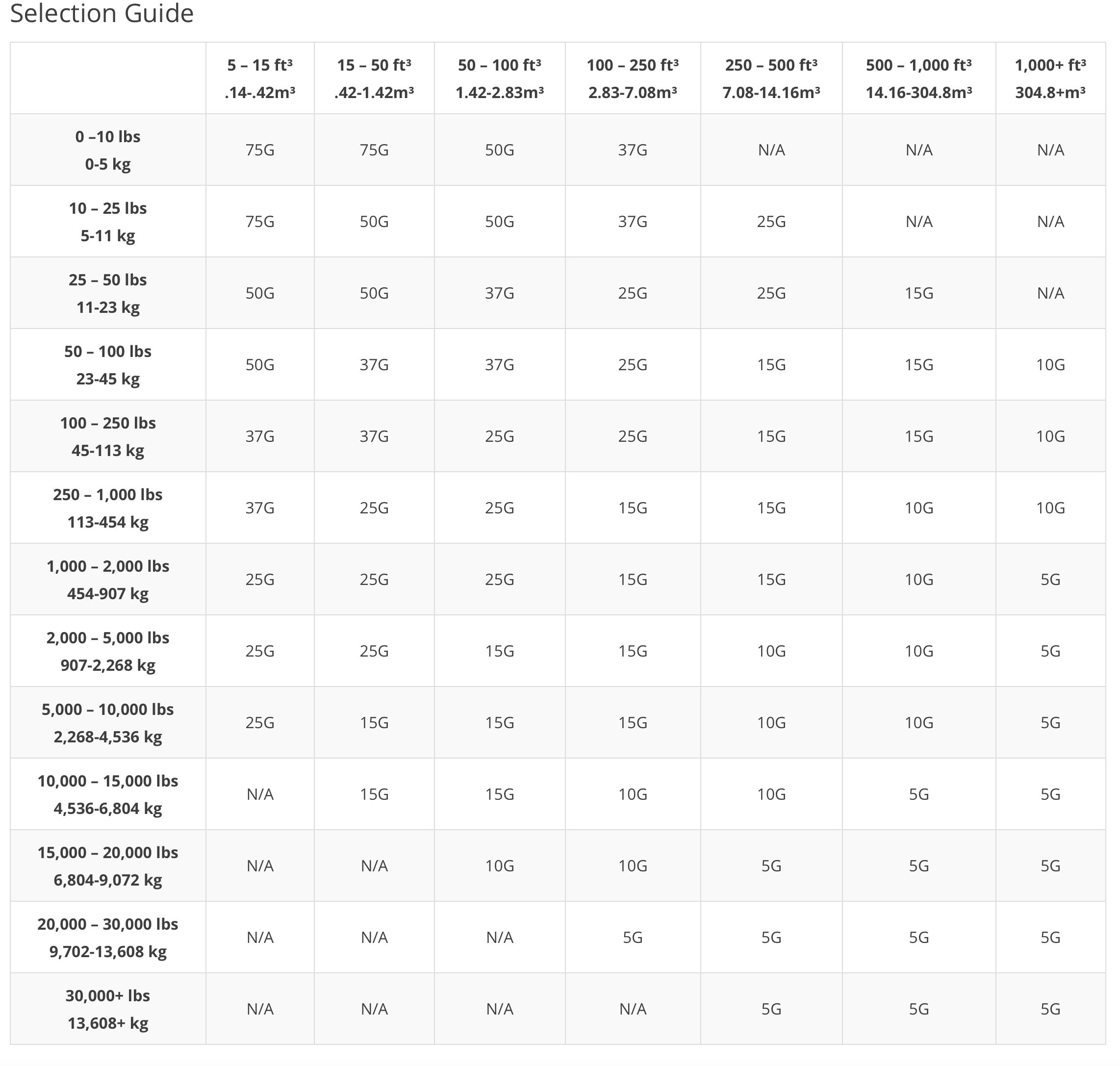
Below is the selection guide for identifying tags for your needs.
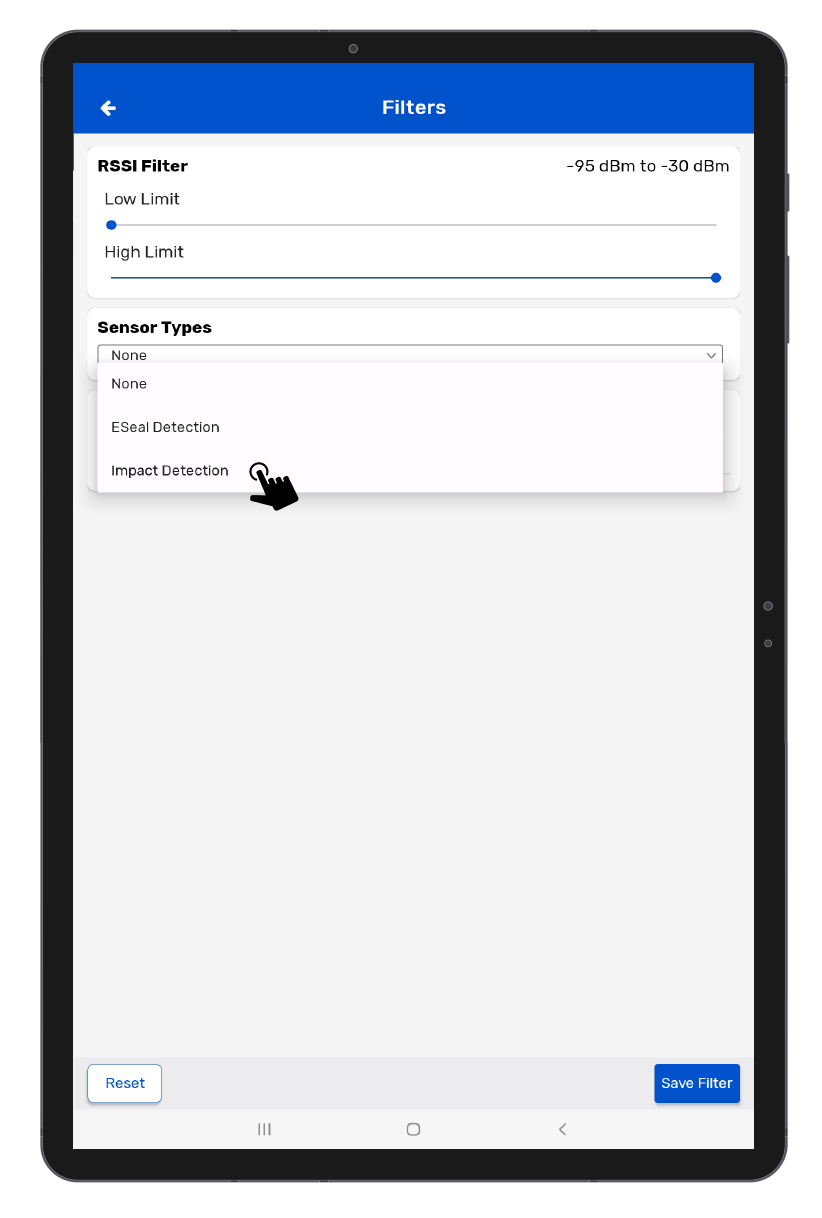
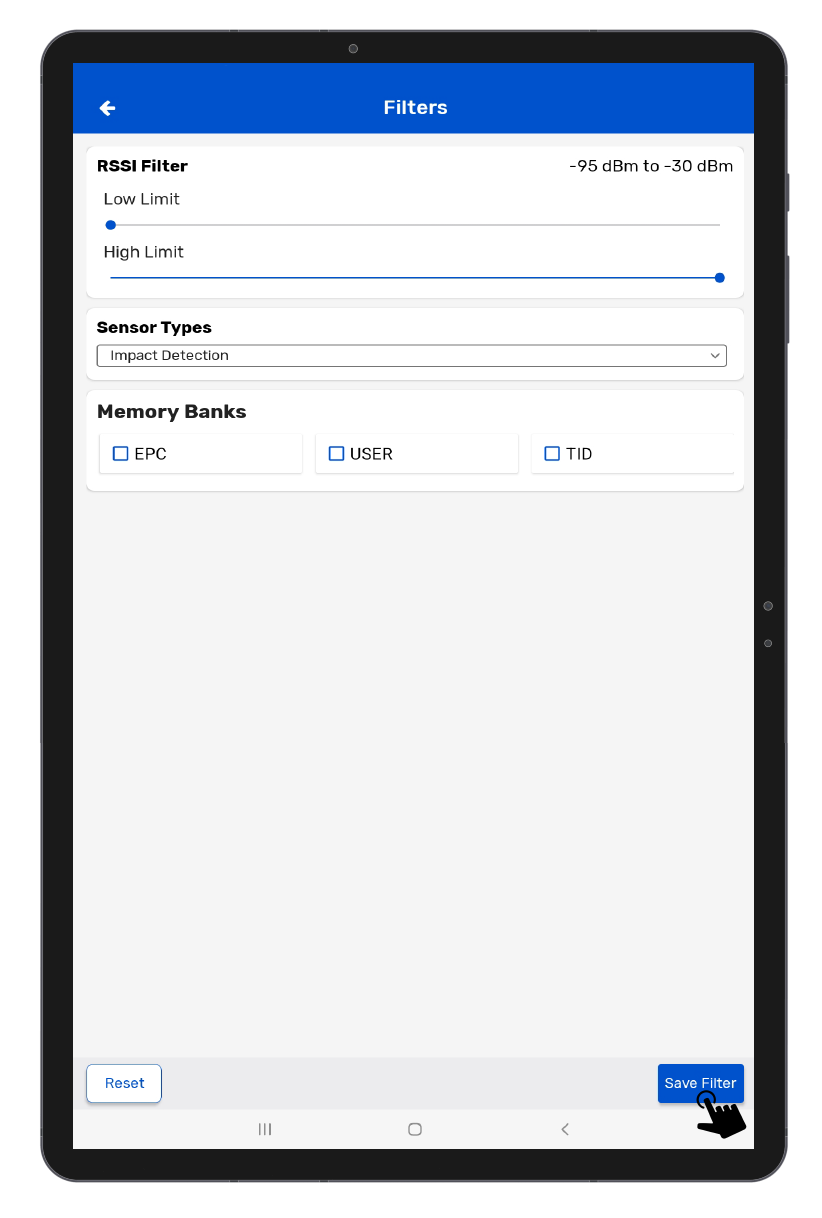
In Tagmatiks Wedge to identify the status of the Shockwatch RFID Tags, you need to configure it in Filter Configuration. Follow the steps below
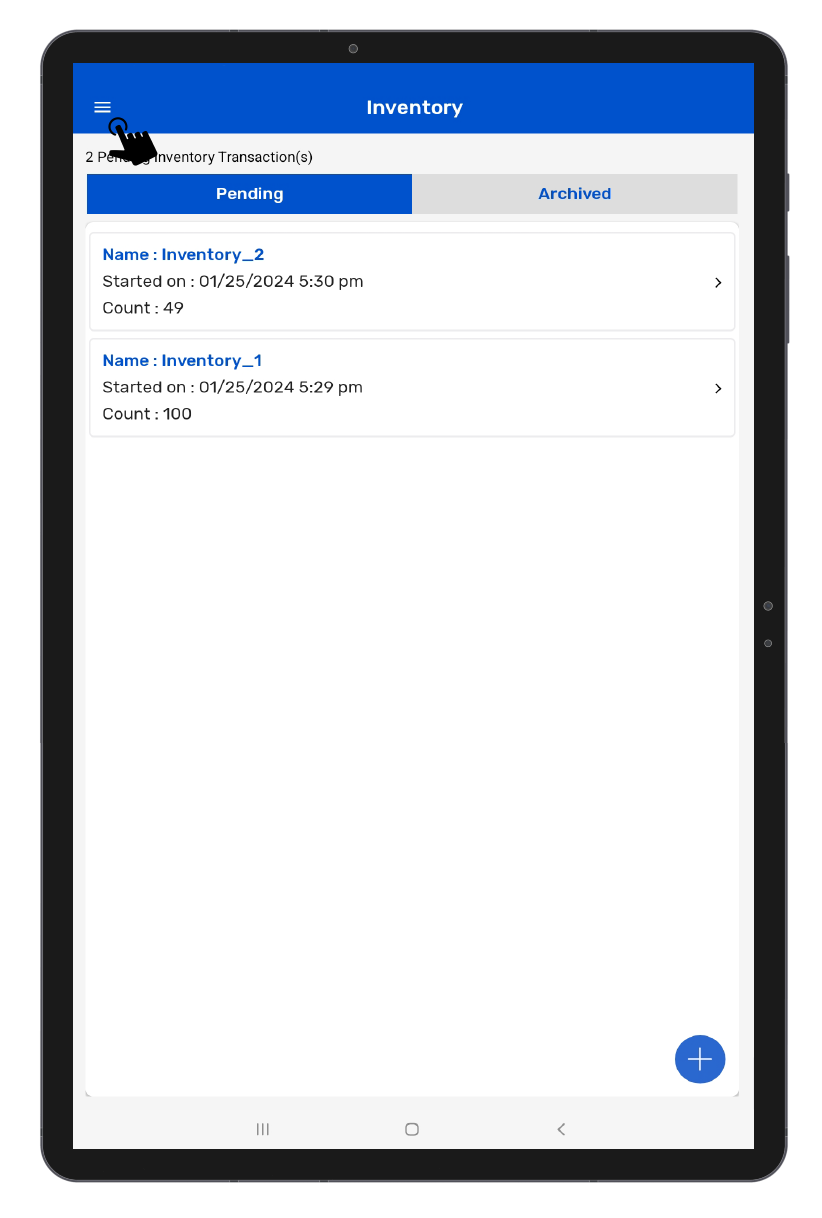
• Open TagMatiks Wedge Application and log into it.
• Tap on the upper left corner of the screen.
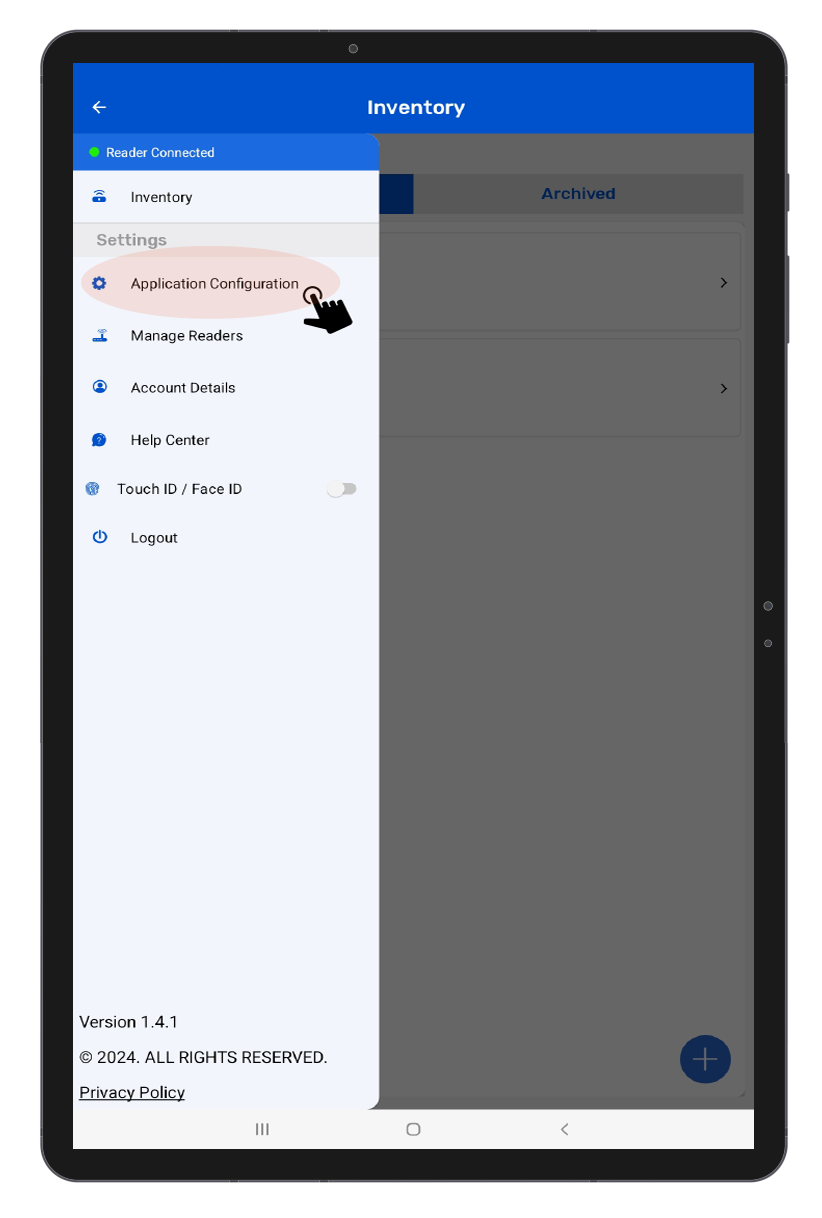
• From the options select App Configuration.
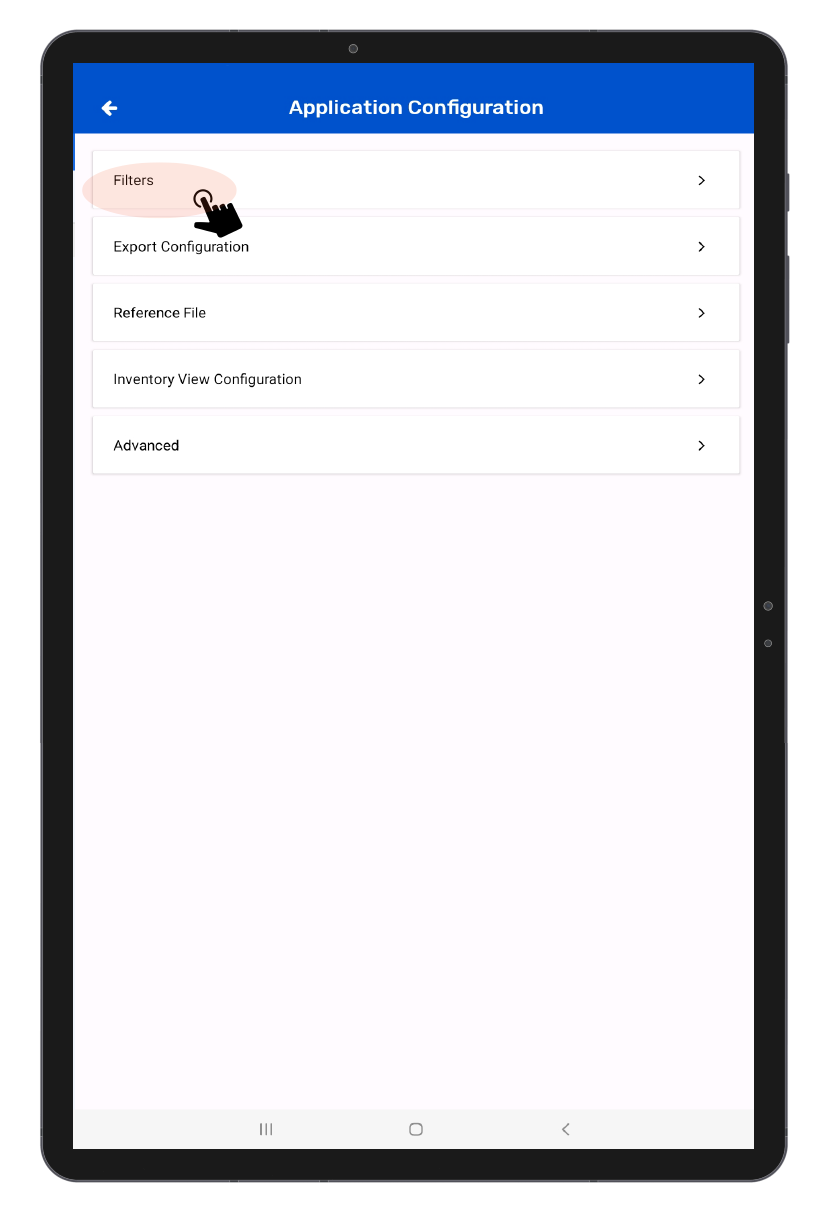
• Tap on Filters.
• Tap on Sensors ,from there you can select Sensor Type as Impact Detection, then save the configuration by clicking on the save button in the navigation configuration.